
Instructions · Ad
How to replace Waterdrop G3P600 filters: CF, CB and RO cartridges
Match G3P600 filter codes, replace the correct stage, reset its indicator and complete the separate five-, fifteen- or thirty-minute flush routine.
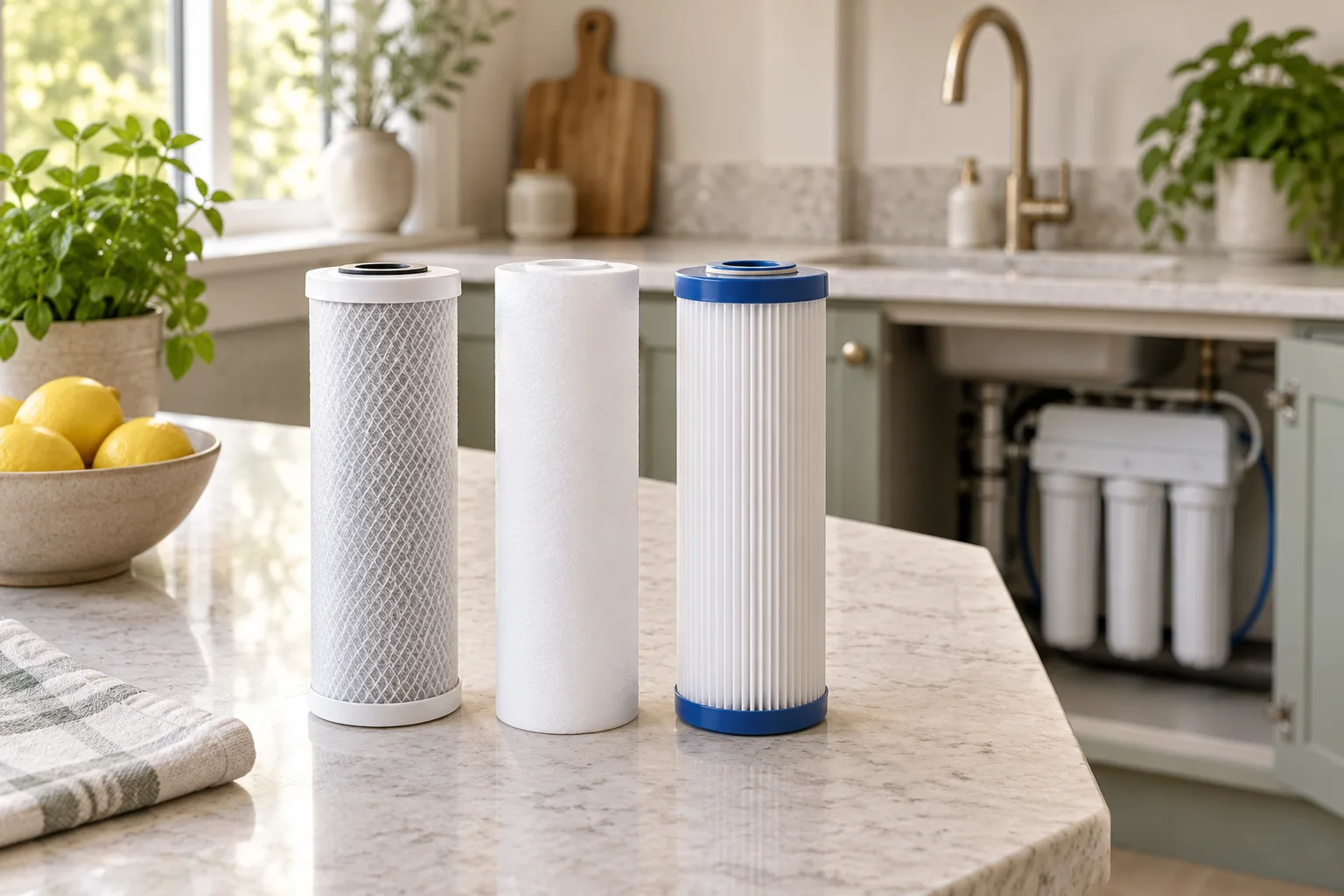
Match the full G3P600 model and the stage that is due
The Waterdrop G3P600 has separate CF, CB and RO replacement stages. They do different jobs and have different service limits and flushing routines. Read the model label and the three installed cartridge codes before opening a replacement pack; a shared G3 name does not make every membrane version interchangeable.
The named families here are G3-N1CF for the pre-sediment/carbon stage, G3-N3CB for the post-carbon stage and G3P600-RO for the membrane. The linked owner manual gives nominal calendar limits of six, twelve and twenty-four months respectively, alongside capacity limits. Replace when the first applicable limit or an actual fault requires it, rather than replacing every stage together by habit.
Waterdrop G3-N1CF prefilter · 1 pack
The CF pre-sediment/carbon replacement for supported Waterdrop G3, G3P600 and G3P800 systems.
- Stage
- CF prefilter
- Code
- G3-N1CF
- Pack
- 1 cartridge
Good forMaintaining a supported G3-family prefilter
Watch forFollow its own time, volume and water-condition limits.
Confirm G3-N1CF against the exact system. This is one prefilter, not the RO membrane or a complete three-stage refill set.
Waterdrop G3-N3CB carbon filter · 1 pack
The CB activated-carbon replacement for supported G3, G3P600 and G3P800 systems.
- Stage
- CB carbon
- Code
- G3-N3CB
- Pack
- 1 cartridge
Good forMaintaining the supported carbon stage
Watch forA 12-month headline remains subject to volume and conditions.
Check the G3-N3CB code and approved system combination. A carbon-stage change does not renew the membrane or CF prefilter.
Waterdrop G3P600-RO membrane · 1 pack
The named RO replacement membrane for the G3P600 system, distinct from the older G3 membrane.
- Stage
- RO membrane
- Code
- G3P600-RO
- Pack
- 1 cartridge
Good forReplacing a supported G3P600 membrane
Watch forThe 24-month maximum does not apply to CF or CB filters.
Use with the approved G3P600 system. The matching model and membrane appear in IAPMO listing WC-13976; exact certified claims and conditions still matter.
Check the matching cartridge label for its volume limit. Some product descriptions and manual revisions give different CF gallon allowances, so do not replace the supplied instructions with a larger number found online. Keep the earlier applicable limit and confirm any discrepancy with Waterdrop. Calendar age and a blue indicator alone cannot rule out early blockage or damage.
Prepare for a standard cartridge exchange
These steps summarise the linked G3P600 manual for the normal cartridge-change task. That manual permits the cartridge exchange without disconnecting the water and power supplies. This is model-specific permission for the cartridge interface, not an instruction to work on live electrical parts, alter plumbing or continue through a leak.
Check the cupboard is dry, clear access to the cartridges and have a clean towel or suitable container ready for residual water. Keep hands dry around the power connection. If there is an active leak, damaged wiring, an internal fault or a need to loosen plumbing, stop the routine and arrange the appropriate isolation and support.
Close the RO tap first and wait thirty seconds before removing a cartridge, as the manual directs. Read the replacement section beside the appliance, identify the labelled position and verify the new code once more. If more than one stage is due, keep each replacement and its reset/flush record distinct.
Do not copy a reset sequence from an older G3, G3P800, G2 or countertop machine. Their displays and flush logic may differ. If the supplied control panel or cartridge does not match the linked manual, obtain the correct revision before proceeding.
Remove the old stage gently and fit the matched replacement
Turn the due cartridge anticlockwise as shown in the manual and withdraw it from its position. Expect a small amount of retained water and keep the area controlled. A cartridge that will not release normally is a reason to stop and check pressure and instructions; pliers, twisting the housing or pulling on tubing are not a suitable workaround.
The manual includes a pressure-relief note around CF/CB changes and an illustration of a removed cartridge’s centre pin. Do not press unidentified parts inside the appliance or disturb another installed stage by guesswork. If the relief instruction is unclear for the supplied revision, ask Waterdrop rather than forcing a pressurised cartridge.
Prepare the new cartridge according to its supplied instructions, remove its protective packaging and fit it into the correct position. Turn clockwise to the specified seated position without adding tools or lubricant not approved by the manufacturer. A similar external cylinder does not prove the internal stage or flow path is correct.
Keep the old packet or a photograph of its code until the change has been completed successfully. That makes a mistaken stage or seller variation easier to resolve. Do not attempt to wash or regenerate the used membrane or carbon cartridge for further drinking-water service.
Reset only the changed stage and complete its exact flush
On the G3P600 panel described in the manual, hold the corresponding CF, CB or RO indicator for seven seconds until the system beeps. Reset only the stage actually replaced. Resetting all three lights after changing one cartridge would erase useful age records for the others.
| Changed stage | RO tap position | Specified routine |
|---|---|---|
| CF | Closed | Automatic five-minute flush |
| CB | Open | Fifteen-minute flush |
| RO | Open | Thirty-minute flush |
The CB routine is fifteen minutes, not the five-minute CF programme. The RO routine is longer again. Keep any flush discharge out of drinking-water use, watch the displayed flushing state and allow the complete procedure to finish before returning to normal dispensing. For several simultaneous changes, follow the matching manual’s complete sequence or obtain Waterdrop’s guidance rather than inventing a shortened combined cycle.
Check for leaks, normal operation and a sensible record
Inspect the cartridge interfaces and accessible connections for leakage after flushing and again during normal use. Confirm that the changed stage’s indicator has returned to its normal state and that the other stages still reflect their actual service history. Record which cartridge was fitted and set the next reminder from its proper limits.
A startup TDS reading can take time to update, and it is not a measurement of cleanliness or every treatment claim. Do not declare a new filter faulty from a momentary display or declare the system safe because the number is low. The TDS guide explains that distinction.
If flow remains weak, use the under-sink low-flow guide. Supply pressure, temperature, prefilters, tubing and drainage can all matter. Repeated fault codes or leaks need support; repeatedly resetting the indicators or installing another membrane cannot repair an unrelated problem.
Common questions
Do I replace CF, CB and RO together?
Not automatically. The manual gives different time and volume limits: nominally six months for CF, twelve for CB and twenty-four for RO. Follow the first applicable limit and the actual condition of each stage.
How long is the CB replacement flush?
The linked G3P600 manual specifies fifteen minutes with the RO tap open. Do not substitute the CF five-minute automatic routine.
Which indicator should I reset?
Reset only the stage actually replaced by holding its labelled CF, CB or RO indicator for seven seconds until the beep, as the matching manual describes.
Must I disconnect water and power for the standard cartridge change?
The cited G3P600 manual permits the normal cartridge exchange without doing so, with the tap closed and a thirty-second wait. Leaks, plumbing work or electrical faults are different situations and require appropriate isolation and support.
Can I use a G3P600 membrane in an older G3?
Do not assume that. Match the full system and membrane code. Waterdrop distinguishes the G3P600-RO replacement from other G3 membrane versions.