
Care instructions · Ad
How to reset BRITA Memo and Smart Light indicators
Reset Memo until four bars flash twice, or Smart Light for 5–10 seconds until three green flashes. Includes status checks, blank displays and battery limits.
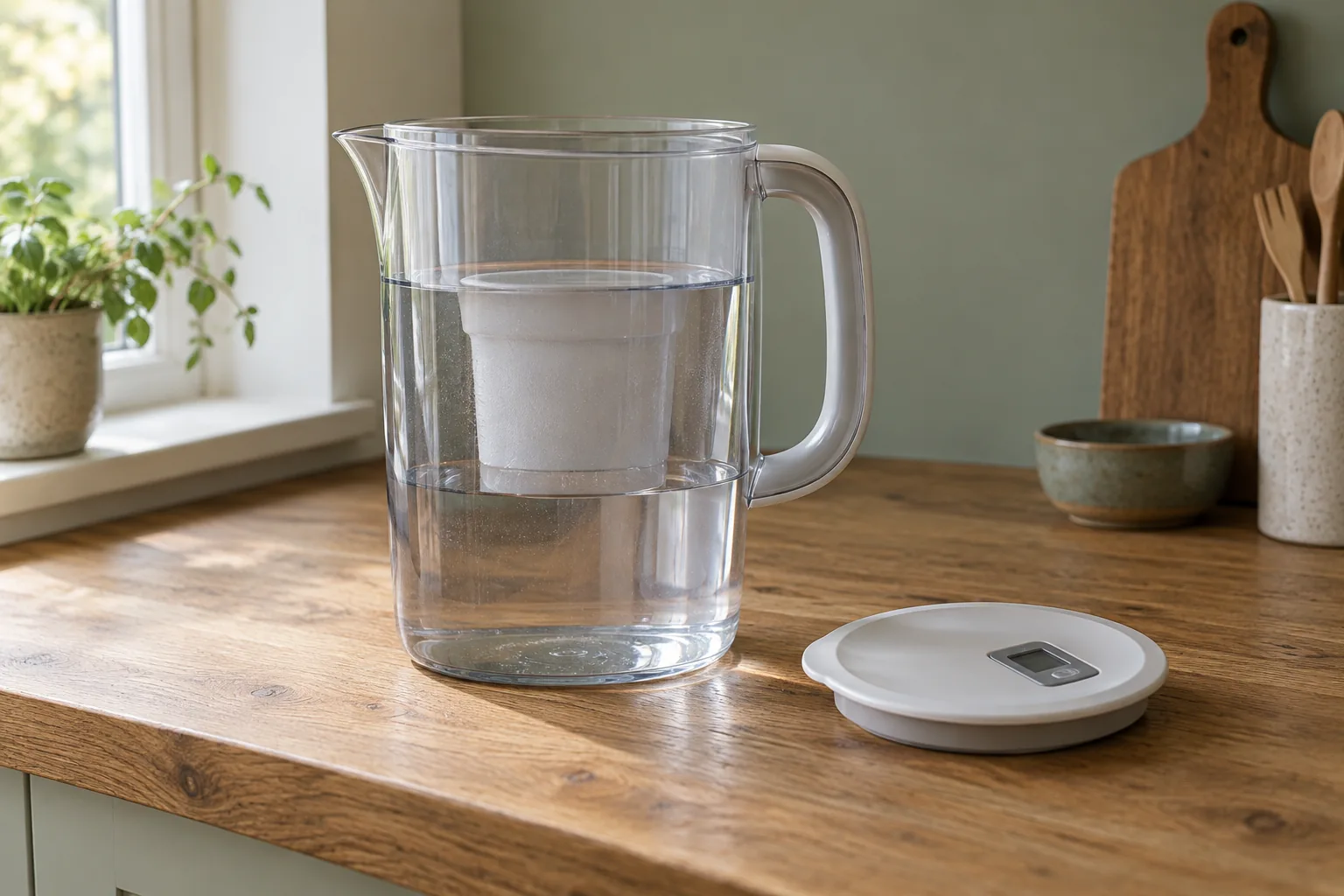
Memo, Smart Light and METER are different indicators
First identify the control on the actual lid. Memo has a rectangular display with bars and a START button. Smart Light gives a coloured light. BRITA also has a different indicator called METER, so an instruction for a METER reset should not be copied to every lid with a display.
This guide follows the Memo and Smart Light procedures in BRITA’s current MAXTRA PRO jug manual. If your lid has another name, layout or confirmation pattern, use its exact manual. Keep the model version attached to the instruction rather than relying on an online video for a superficially similar jug.
Prepare and fit the fresh cartridge before resetting the replacement reminder. A reset tells the device that maintenance has been done; it does not perform that maintenance. Do not restart an overdue filter’s countdown as a way to avoid changing it.
| Indicator | Reset after a fresh filter | Confirmation |
|---|---|---|
| Memo | Hold START | Four bars appear and flash twice |
| Smart Light covered by jug manual | Hold reset about 5–10 seconds | LED flashes green three times |
| Smart Light status check | Brief press | Current coloured status; not a new service interval |
| METER or another version | Use its own manual | Do not substitute the Memo or Smart Light sequence |
How to reset BRITA Memo
- Fit and prepare the fresh filter. Complete the cartridge’s own preparation first. If this is a brand-new Memo lid, remove the display’s protective film.
- Press and keep holding START. Watch the display rather than releasing at the first sign of a bar. Continue until all four bars appear and flash twice.
- Check that it is running. A flashing dot in the lower-right corner indicates that Memo is operating. Keep your separate fitting record so an accidental reset does not lose the cartridge’s true age.
BRITA describes one bar disappearing each week. When the display is empty and flashing, the scheduled change is due. That time-based display cannot know every household’s actual water use or every condition that may require an earlier change.
If you release before the confirmation pattern, check the display and follow the same proper activation sequence. If it remains blank or never shows the confirmation, move to the fault checks below. Repeated pressing should not replace identifying the right indicator or dealing with damage.
How to reset the Smart Light in the current jug manual
- Complete the cartridge change. Prepare the new supported filter and assemble the jug correctly. Make sure you are using the Smart Light reset control described in its manual.
- Hold reset for about 5–10 seconds. Continue until the LED flashes green three times. That three-flash confirmation is the important check, rather than an arbitrary count borrowed from another indicator.
- Check status when needed. A brief press shows the current coloured indication. Keep that short status check separate from the longer reset after a real filter change.
The manual describes green, yellow and red indications: green for the normal service indication, yellow for an approaching change and red for replacement. Smart Light in this manual uses time and filtered-volume information. It remains a maintenance indicator, not a direct analysis of every substance in the water.
Do not interpret a green light as overriding a supply notice, a damaged cartridge or a known replacement limit. Our replacement-frequency guide explains how a high-use household can reach a litre limit before a simple calendar expectation.
Blank displays, missing flashes and accidental resets
If the expected confirmation does not appear, first recheck the indicator type and the model instructions. A six-second METER procedure elsewhere in BRITA’s FAQs is not the same instruction as Smart Light’s three green flashes. Likewise, a quick status press is not evidence that a full reset was attempted.
Check whether the indicator or lid has been damaged or washed contrary to the care instructions. A Memo lid is hand-washed; removable Smart Light must be taken out before dishwasher cleaning and wiped separately. See the jug-cleaning guide for the component distinctions.
The indicators have sealed, non-user-replaceable batteries. Do not open the unit or prise Memo out as a routine battery fix. BRITA’s manual reserves Memo removal for disposal at the end of its life. Contact BRITA customer care about the exact indicator or lid if it has stopped working.
If someone reset the display accidentally, keep using the original cartridge fitting and consumption record. The media did not become new when the button was pressed. Where the age is unknown, a fresh supported cartridge after cleaning gives a clear maintenance starting point; do not use the display’s new bars as proof of a recent change.
A cartridge change and an indicator repair are separate jobs
When a MAXTRA PRO change is actually due, use a compatible-family refill and complete its preparation. The pack below is one replacement option for that family. A blank reminder alone does not prove the cartridge is exhausted, and a new cartridge does not repair broken electronics.
BRITA MAXTRA PRO Pure Performance · 6 pack
The everyday-purpose MAXTRA PRO replacement for compatible BRITA jugs and Flow. Compare this six-pack with the cartridges already included in your chosen starter bundle.
- Pack
- 6 cartridges
- Family
- MAXTRA PRO
- Limit
- 150L / 4 weeks
Good forRestocking a compatible MAXTRA PRO system.
Watch forFour weeks can arrive long before 150 litres.
Check the MAXTRA PRO family against your jug instructions. It is not a replacement for BRITA Classic, MicroDisc or ON TAP cartridges.
For the first-use sequence, read how to prepare and fit MAXTRA PRO. If only the reminder is faulty, ask about the matching part rather than buying another jug automatically. A separate calendar record can help you follow the stated cartridge limits while arranging the appropriate remedy.
Keep a simple record of filter name, fitting and next change, particularly in a shared kitchen. That record is useful after a wash, holiday or accidental reset and prevents a working light from becoming the household’s only account of what was fitted.
Common questions
How many seconds should I hold Memo START?
Use the visual confirmation in BRITA’s instructions: hold until four bars appear and flash twice. This guide does not replace that with a universal seconds count.
How do I know Smart Light has reset?
For the Smart Light in the cited jug manual, hold reset for about 5–10 seconds until the LED flashes green three times.
Does a short Smart Light press reset the filter life?
No. BRITA describes a brief press as a status check. The longer reset belongs after the actual fresh-filter change.
Can I replace the indicator battery myself?
The battery is non-user-replaceable. Contact BRITA customer care for the exact part; do not open the unit or prise out Memo for routine repair.
What if the indicator was reset without changing the cartridge?
Retain the original fitting record and applicable limits. Pressing the button does not renew the media or give it a fresh service interval.